
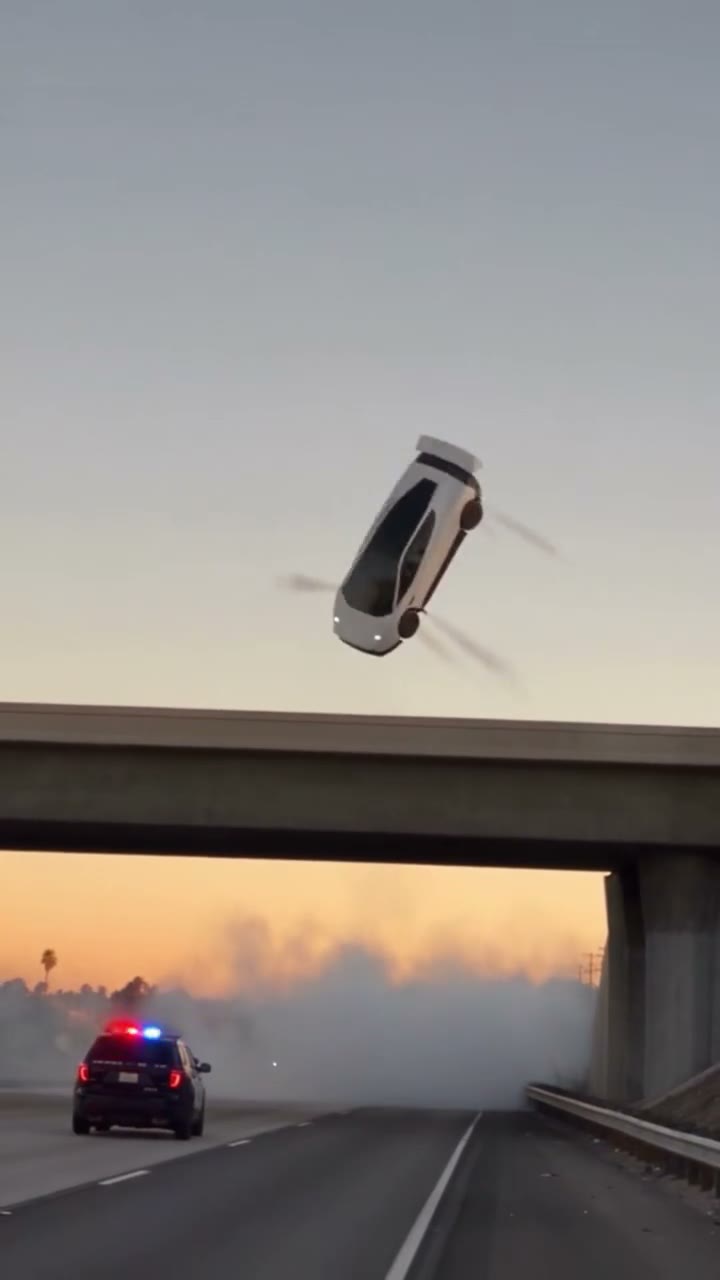
What is the flying Tesla Roadster meme?
Flying-car remixes use the Roadster as a starting point for fictional driving stories. A traffic escape, an aerial roll and an intentionally unsuccessful landing are recognizable variations. The reference site FlyingCar.fun groups examples around those stunt themes. This article uses that broad topic as context; the creative workflow below is specific to Flying Car AI.
A useful distinction is the difference between a subject and a story. “Flying Tesla” names the subject. A story also needs a situation, a change and a final image. If the viewer cannot tell what changed, extra smoke, camera movement or city detail will not make the action easier to follow.
Real Roadster footage and AI video are different things
A vehicle demonstration and a fictional car flying across a skyline should not be treated as the same kind of evidence. To check a real-world claim, find the original recording, its publisher and the context around the shot. A caption, familiar badge or photorealistic finish does not establish authenticity.
All flying-car examples on this website are AI-generated. They do not document Tesla vehicle capabilities. Flying Car AI is independent and is not affiliated with, endorsed by or sponsored by Tesla, Inc. or any vehicle manufacturer. When sharing your own render, make the fictional nature clear to viewers.
Build a flying-car story around one clear change
Start with a recognizable obstacle
Give the viewer something to understand before the car moves. Stopped vehicles, a narrow road or the edge of an overpass can establish scale. Keep the main car visible and leave enough empty space above it for the movement. A busy frame can make a dramatic lift difficult to read on a small phone screen.
Choose an ending before adding effects
Decide where the car should be in the final frame. Does it clear the obstacle, hover in place or leave the camera behind? That destination gives the action a direction. Treat smoke, reflections and lighting as supporting details instead of asking every element in the scene to change at once.
Make the viewpoint part of the joke
A passenger view feels personal; a distant street camera makes the event feel observed. Pick the viewpoint that tells your story and keep it consistent. If you add a first-day ownership caption, write it around your own situation rather than copying another creator's line. Add captions in an editor so you can check spelling, timing and readability separately from the generated image.
Can you make a flying car AI video without a photo?
Yes. In Flying Car AI, you write your own scene prompt and can leave the photo upload empty. Describe the vehicle, the movement, the setting and the camera. There is no preset picker or required selfie. If a particular car matters, one optional reference image can provide visual guidance.
Use a photo you own or have permission to use. A clear view of one vehicle makes the intended subject easier to identify than a crowded parking lot. A reference is guidance, not a promise of an exact match: inspect the body shape, wheels and reflections in the result. For practical input advice, read our step-by-step flying Roadster video guide.
Plan for TikTok, Instagram Reels and YouTube Shorts
Flying Car AI uses 9:16 vertical MP4 output with a customer-chosen length of 5–30 seconds. The file is silent and watermark-free. Keep important motion near the center of the composition so interface controls and your later captions do not cover the moment that explains the scene.
Start with the shortest length that can show your idea clearly. More seconds give you more time to tell a story, but also more footage to inspect for visual changes. Watch the clip once without a caption: if the action is unclear, simplify the composition before relying on text to explain it.
Add music or voice-over separately if needed, using audio you are allowed to publish. Check the destination platform's current AI disclosure requirements. Vertical formatting makes a file convenient to share; it does not guarantee reach, recommendations or a particular number of views.
Before you create your own flying Tesla video
- Choose one main vehicle, one action and a camera position.
- Write the scene yourself; add a single reference photo only if it helps.
- Review the AI video examples for framing, rather than expecting an identical result.
- Check the duration-based pricing before selecting a pack.
- Review your render and label it as AI-generated when sharing.
The strongest starting point is an idea that can be explained in one sentence. Give that idea a clear visual beginning and ending, then refine the shot. You can explore the flying car AI video creator or follow the full creation tutorial for a closer look at the process.